Skills
Write reusable instructions for agents and call them from the slash menu in any chat.
A skill is a set of instructions that you write once and reuse in any chat. For example, a review-checklist skill can hold the steps your team follows before a pull request. You type /review-checklist in a chat, and the agent reads the skill and follows it. Skills work with every agent.
Where skills live
Each skill is a folder with a SKILL.md file in it. Termul looks in two places:
- Global skills are in
~/.agents/skills/in your home folder. Every project can use them. - Project skills are in
.agents/skills/inside the project folder. Only that project can use them.
If a global skill and a project skill have the same name, the project skill wins.
These are the same folders the Zed editor uses, so skills you wrote for Zed show up in Termul too.
Write a skill
- Make a folder for the skill, for example
.agents/skills/review-checklist/in your project. - In that folder, make a file named
SKILL.md. - Start the file with a
nameand adescription, then write the instructions below them.
---
name: review-checklist
description: Review a diff against the Acme Shop checklist before you open a PR.
---

# Review checklist

1. Run `bun test`.
2. Check that every price uses cents, not floats.
The name can use only lowercase letters, digits and single hyphens, such as release-notes. Termul skips a skill with any other name. If you leave out name, Termul uses the folder name.
Write the description on one line. Termul does not read a description that spans several lines, such as one that starts with >-.
See your skills
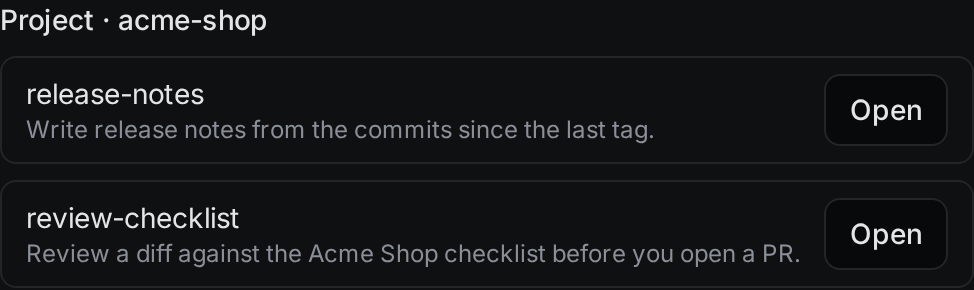
Open Settings with Ctrl+, (Cmd+, on macOS) and click Skills. The page lists your Global skills and the skills of the project that is open. Click Open to edit a skill's SKILL.md in the editor.
Use a skill in a chat
- In the chat box, type
/. - Type part of the skill's name to filter the list. Skills are under Skills.
- Pick the skill. It appears in your message.
- Write the rest of your message and send it.
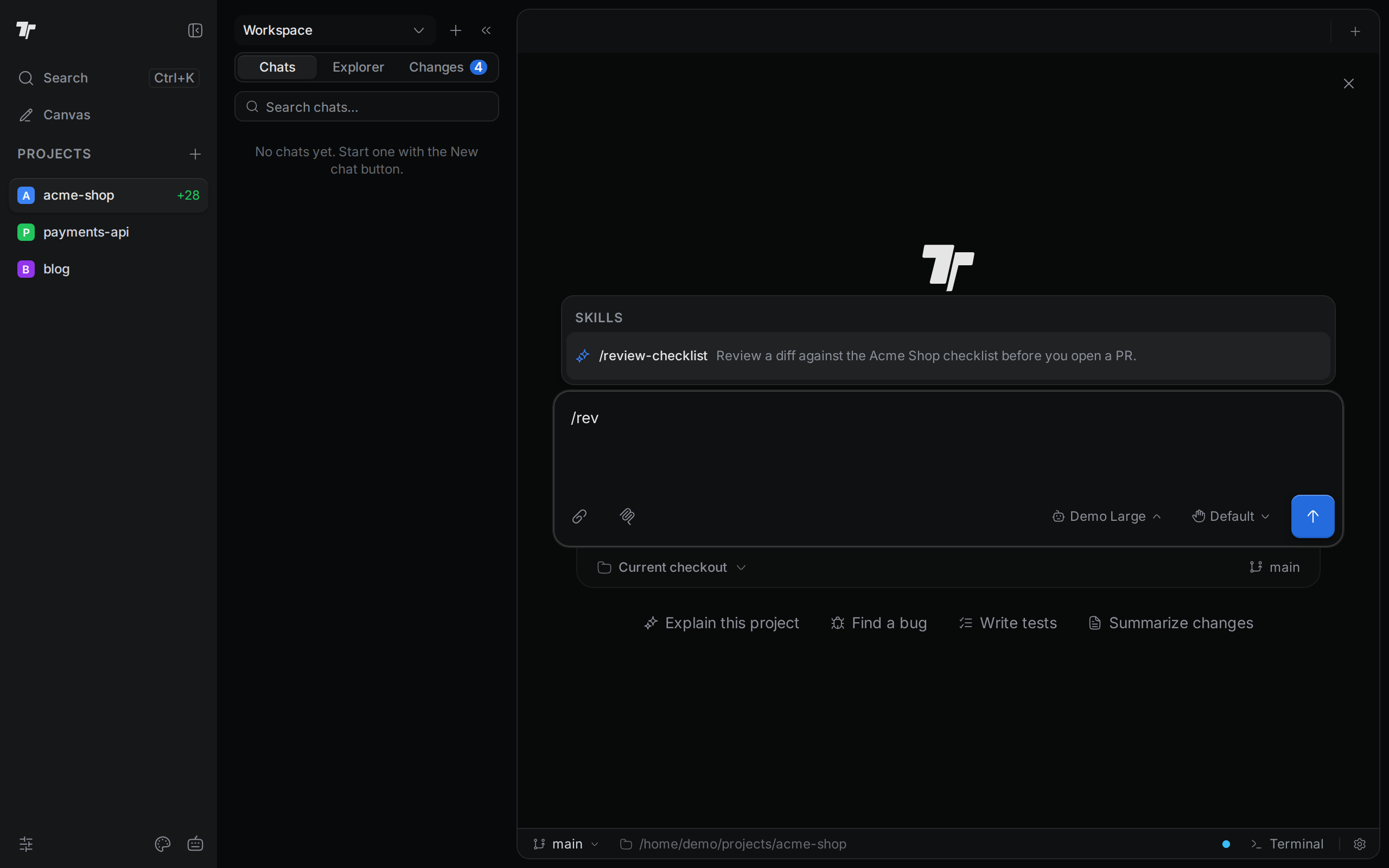
Termul tells the agent where the skill's SKILL.md file is, and the agent reads the instructions from there. You can use more than one skill in a message.